
How it works
How PayPlea works, step by step
PayPlea connects people who want to help with people who have asked for it. You discover reviewed requests, choose one of the recipient’s own payment links, complete the transfer with that provider, and come back to record what you sent. PayPlea never holds the money.
- Last reviewed:
- min read
- 6 min read
The helper journey
Discover reviewed requests
Requests appear in the feed only after moderation. Each card shows the story, the goal and progress.
Swipe right to explore helping
Swiping right opens the request so you can read more. Swiping left simply moves on. Nothing is paid by swiping.
Choose an available payment link
You see only the external providers the recipient has actually configured, such as PayPal, Revolut, Cash App or Venmo.
Complete the transfer outside PayPlea
The provider’s own app or website opens. Its terms, fees, limits and protections apply — not PayPlea’s.
Return, declare and attach a private receipt
Enter the amount you sent and upload a receipt. Crop or conceal private details first. The receipt stays private.
Pending is not confirmed
A declaration may appear as pending review. It is not counted as confirmed merely because an amount was entered. See how pending and confirmed progress works.
The requester journey
Create an account and confirm you are 18+
Requesters provide additional real information that helpers do not need to give.
Write a truthful request
Explain what the help is for, the amount, and supporting context. Do not publish private documents or other people’s data.
Add a compatible payment link
At least one of your own personal links with a supported provider is required.
Wait for moderation
The request becomes public only after review. It can be rejected or returned for changes.
Follow progress and say thank you
Confirmed progress grows from reviewed contributions. When the confirmed target is reached, the request closes.
What PayPlea does—and what it does not do
| PayPlea does | PayPlea does not |
|---|---|
| Moderates requests before they become public | Hold, pool, route or withdraw recipient money |
| Shows the recipient’s own external payment links | Act as a bank, payment processor, escrow or charity |
| Keeps receipts and evidence private | Guarantee that a request is genuine or that help arrives |
| Separates pending and confirmed progress | Reverse or refund a transfer made with a provider |
| Offers report, block and appeal tools | Offer tax-deductible donations |
Glossary
| Term | Meaning |
|---|---|
| Request | A moderated public post in which an adult asks for a specific amount of help for a stated purpose. |
| Helper | A member who chooses to send help to a request owner. |
| Recipient | The request owner who receives money directly through their own provider account. |
| External payment link | A personal link the recipient configured with an independent provider. The transfer happens there. |
| Declared amount | The amount a helper says they sent, entered after returning to PayPlea. |
| Pending review | A declaration that has not yet been reviewed. Shown in amber with a clock icon. |
| Confirmed amount | The total of contributions that passed review. Shown in mint with a check icon. |
| Receipt | A private screenshot or document of the transfer, with private details concealed by the helper. |
| Badge | A recognition for participation. It is not identity verification. |
| Block / report | Tools to stop contact with a member or flag a request, comment or profile for moderation. |
App screens
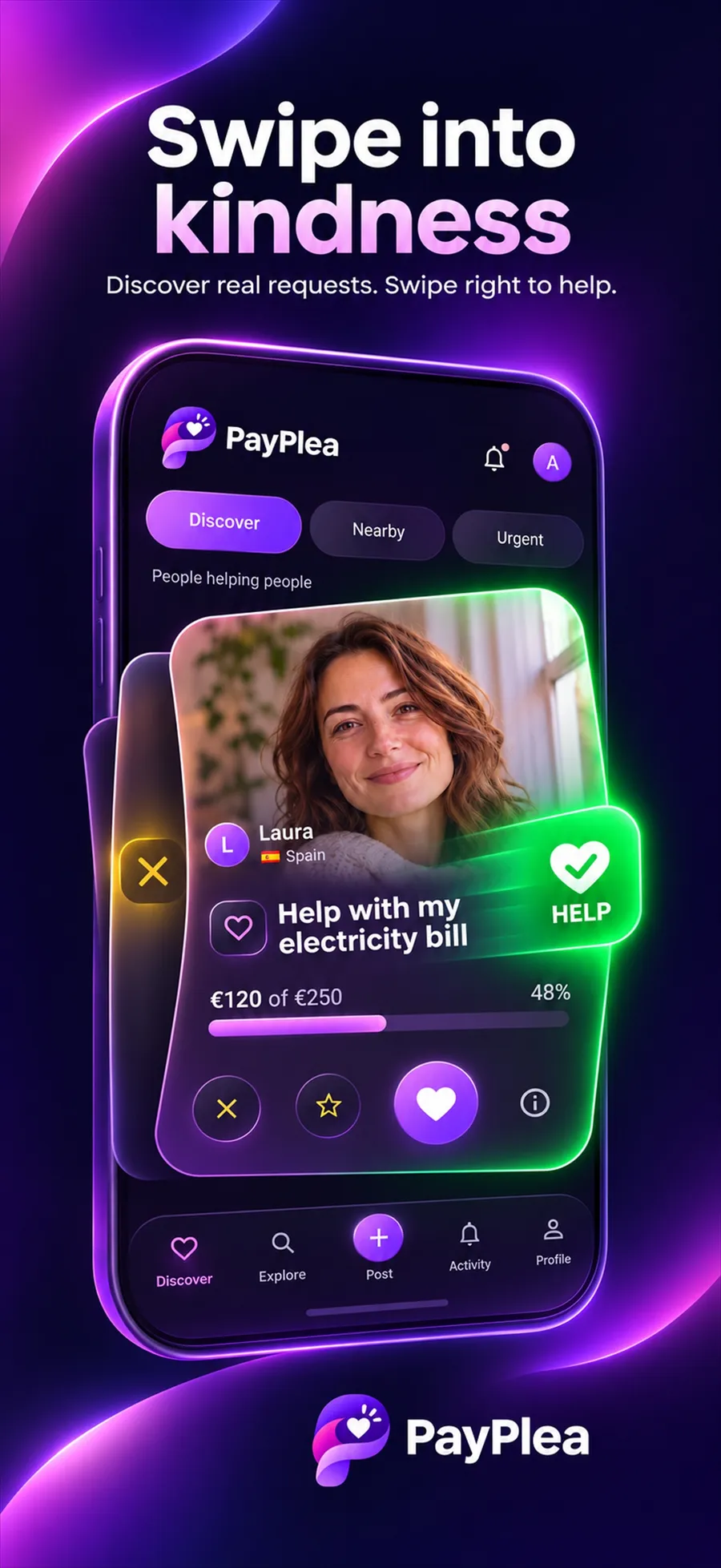
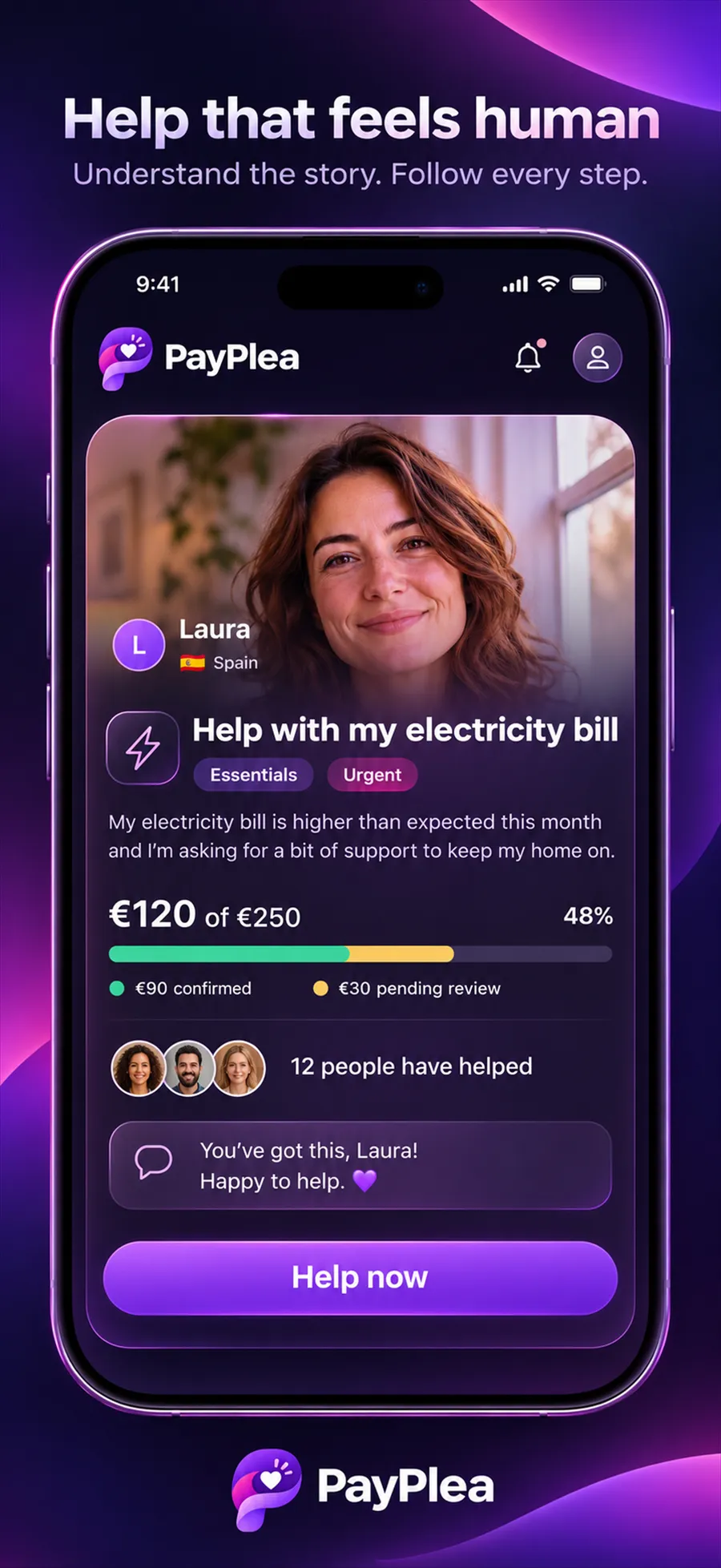
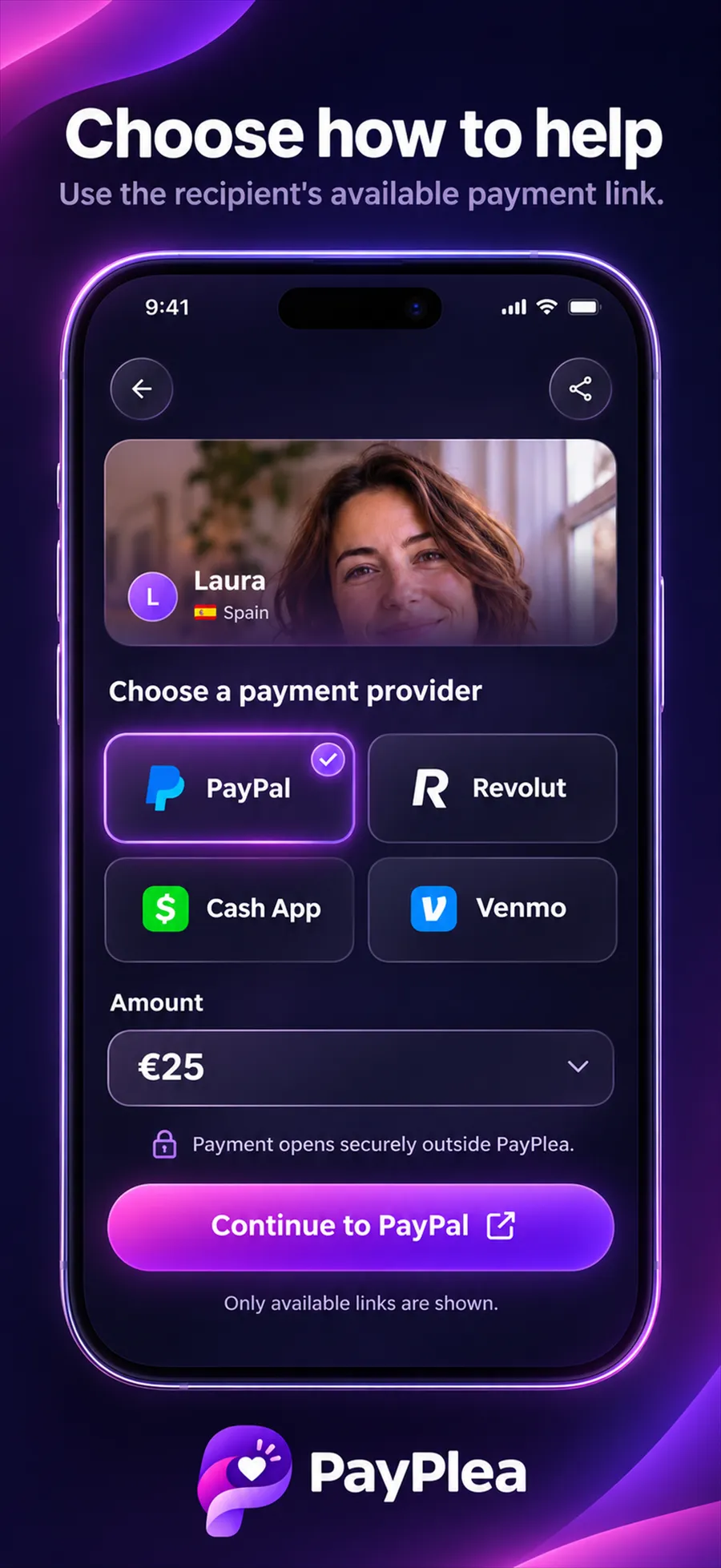
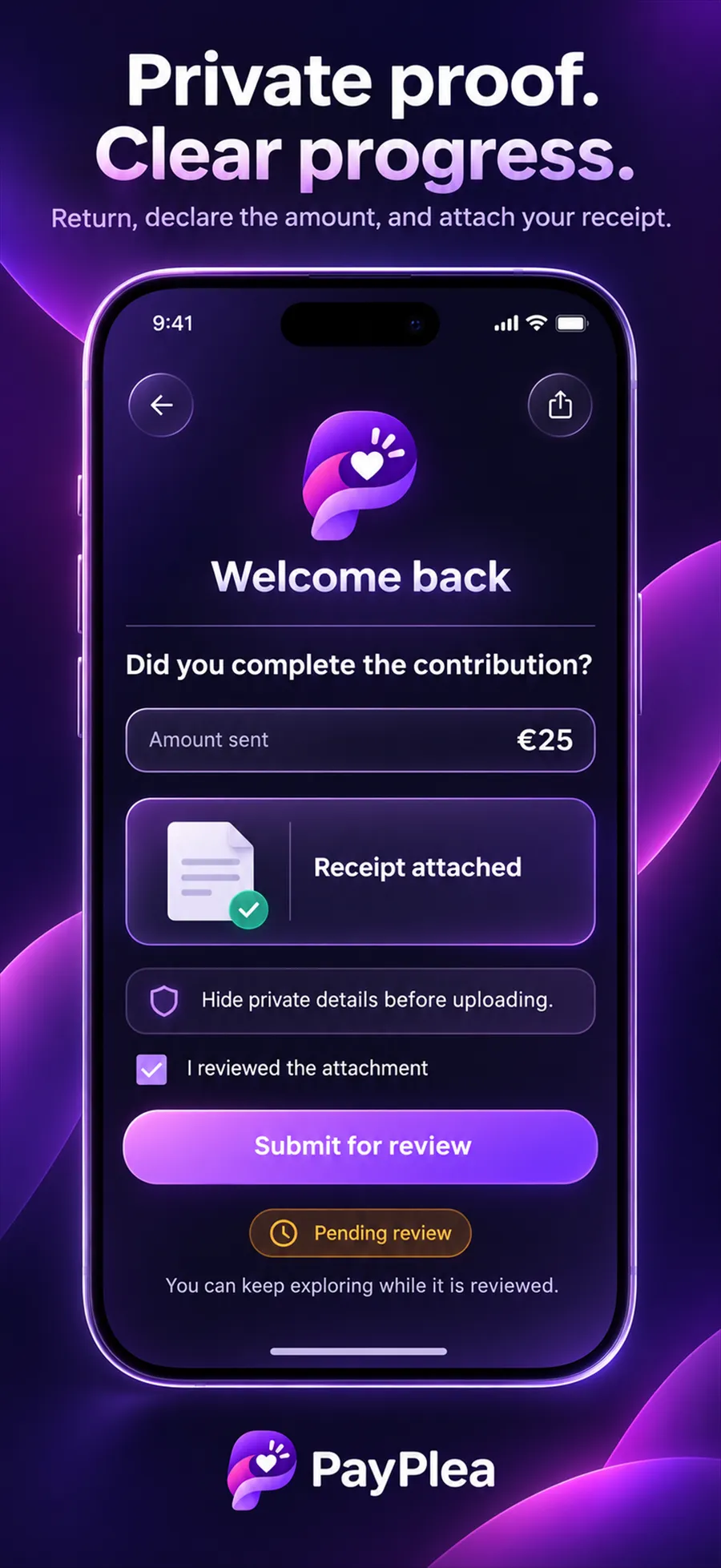
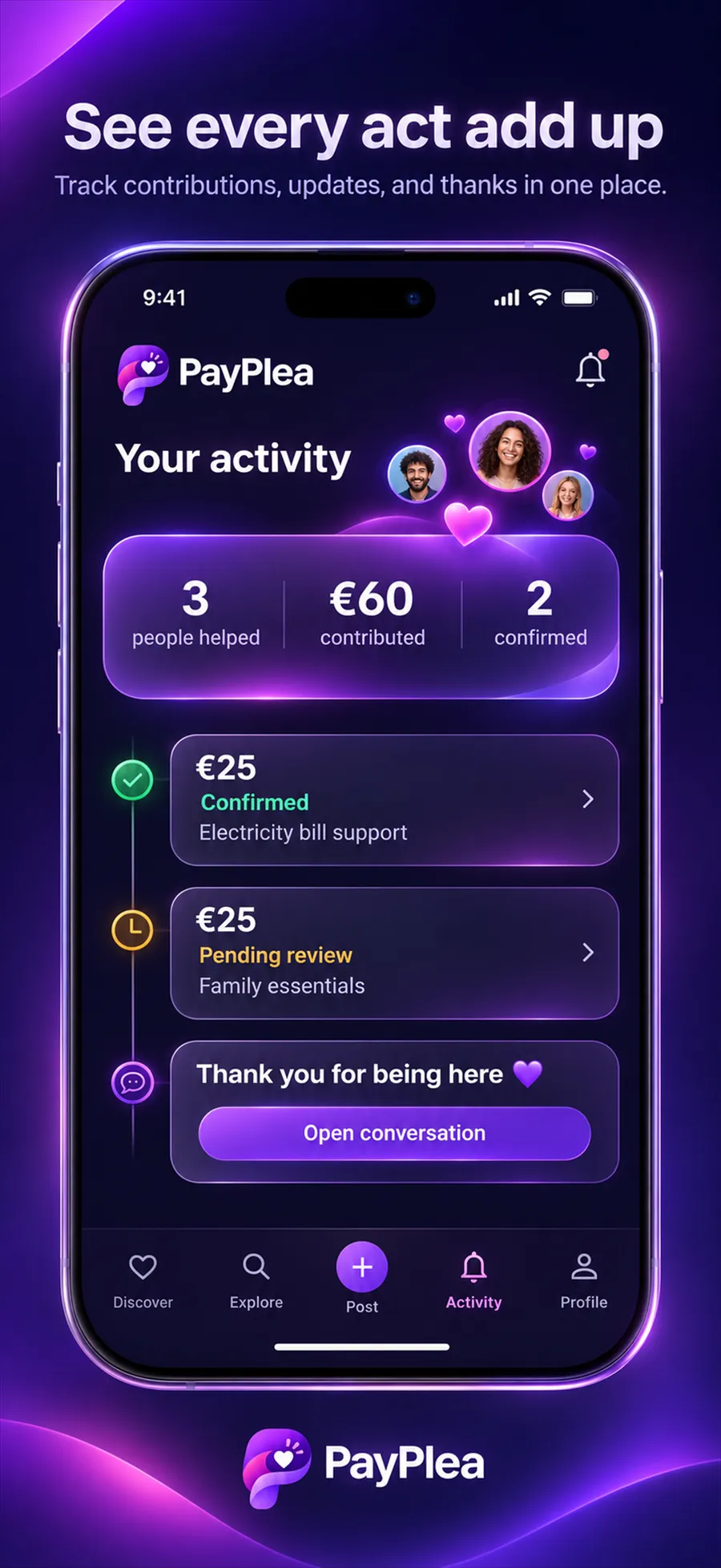
App Store marketing screenshots. People, names and amounts shown are illustrative, not real requests.